
Softwarewith standards.
That is our motto for every tool we build.
Built in house·Made in Munich·One tool live
Program 01
Preview Studio Pro.
Code and preview. Finally in sync.
A native macOS and Windows editor that renders your HTML, CSS, and JavaScript in a preview window next to the code, so you stop switching windows to check what you just wrote.

- Preview and code in one window, no browser refresh
- Project files stay on your machine, no cloud sync
- Buy once as a lifetime license or pay monthly
Seven days free. You add a payment method when the trial starts at checkout, and the first charge happens on day eight. Cancel before the trial ends and nothing is charged.
Live demo
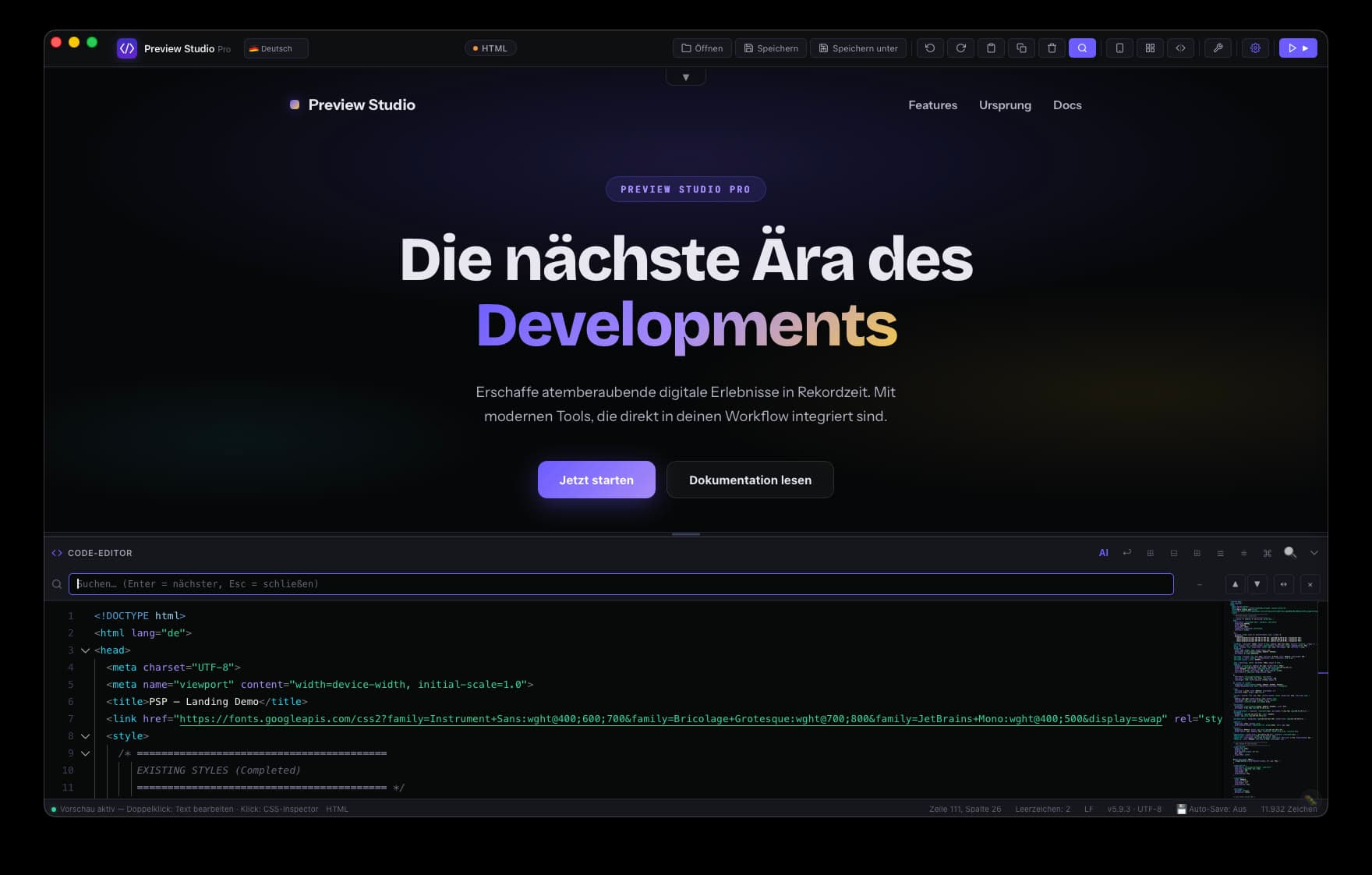
See Preview Studio Pro in action.
Screens from the running app, no staged mockups.
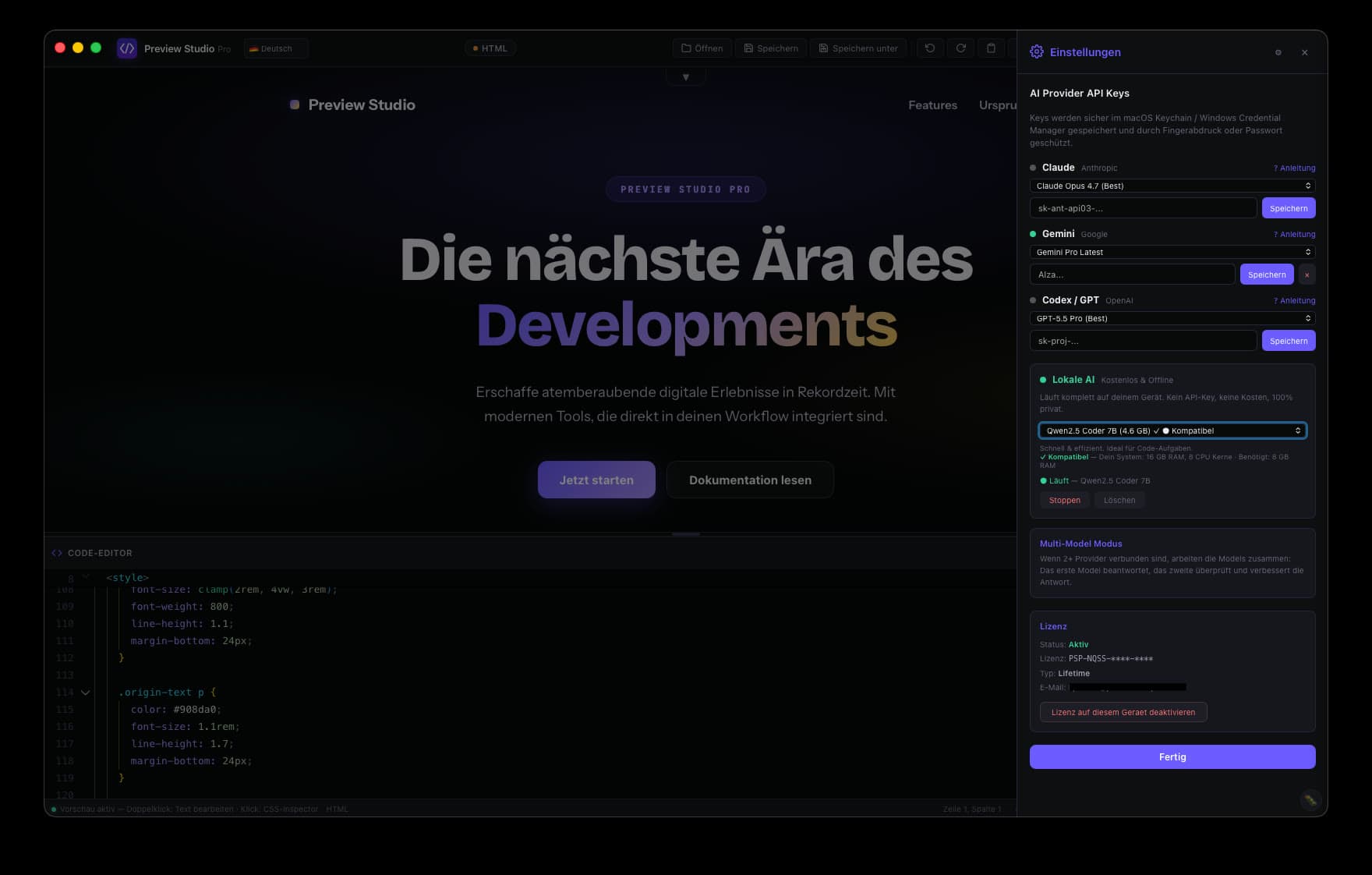
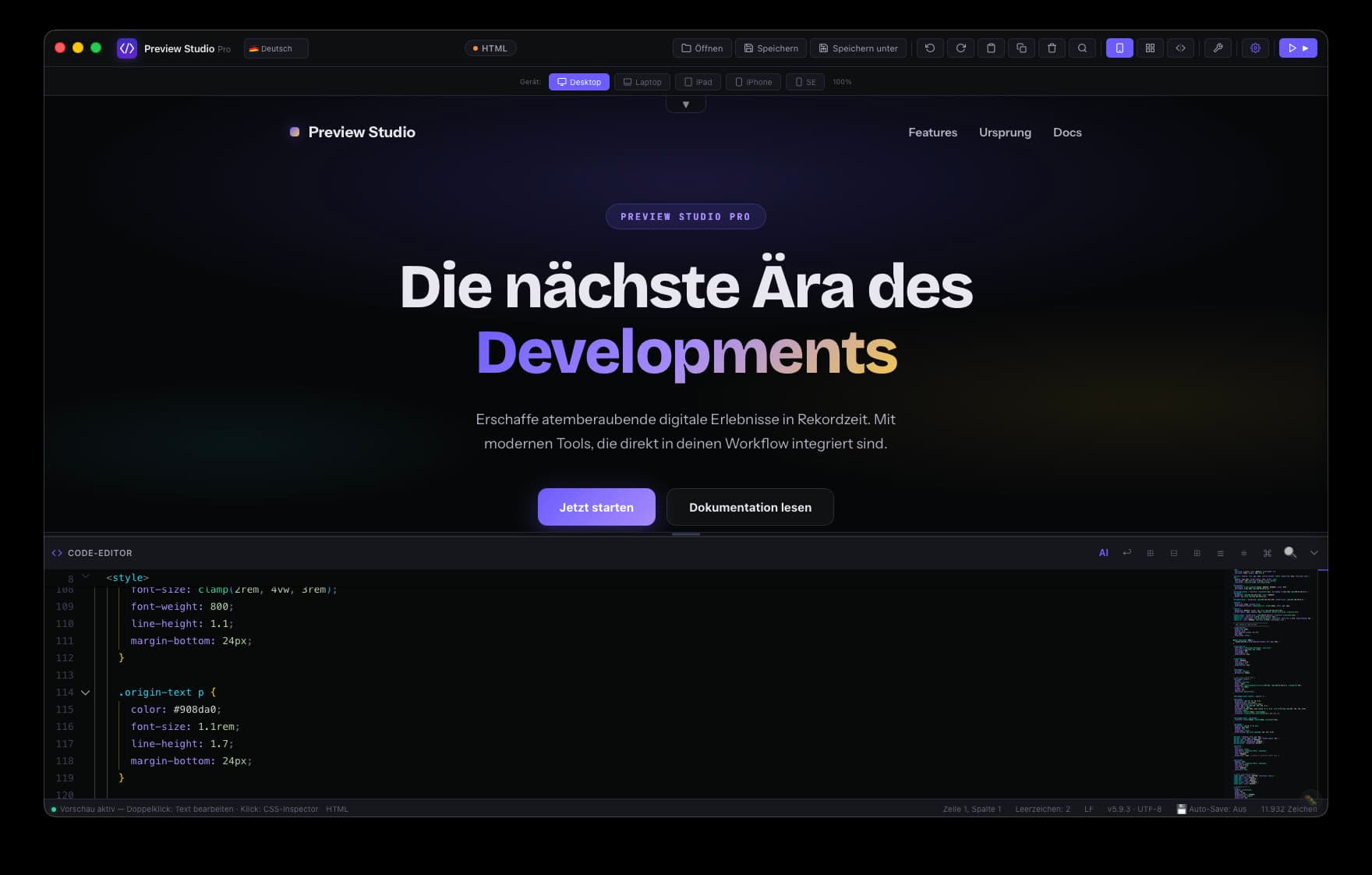
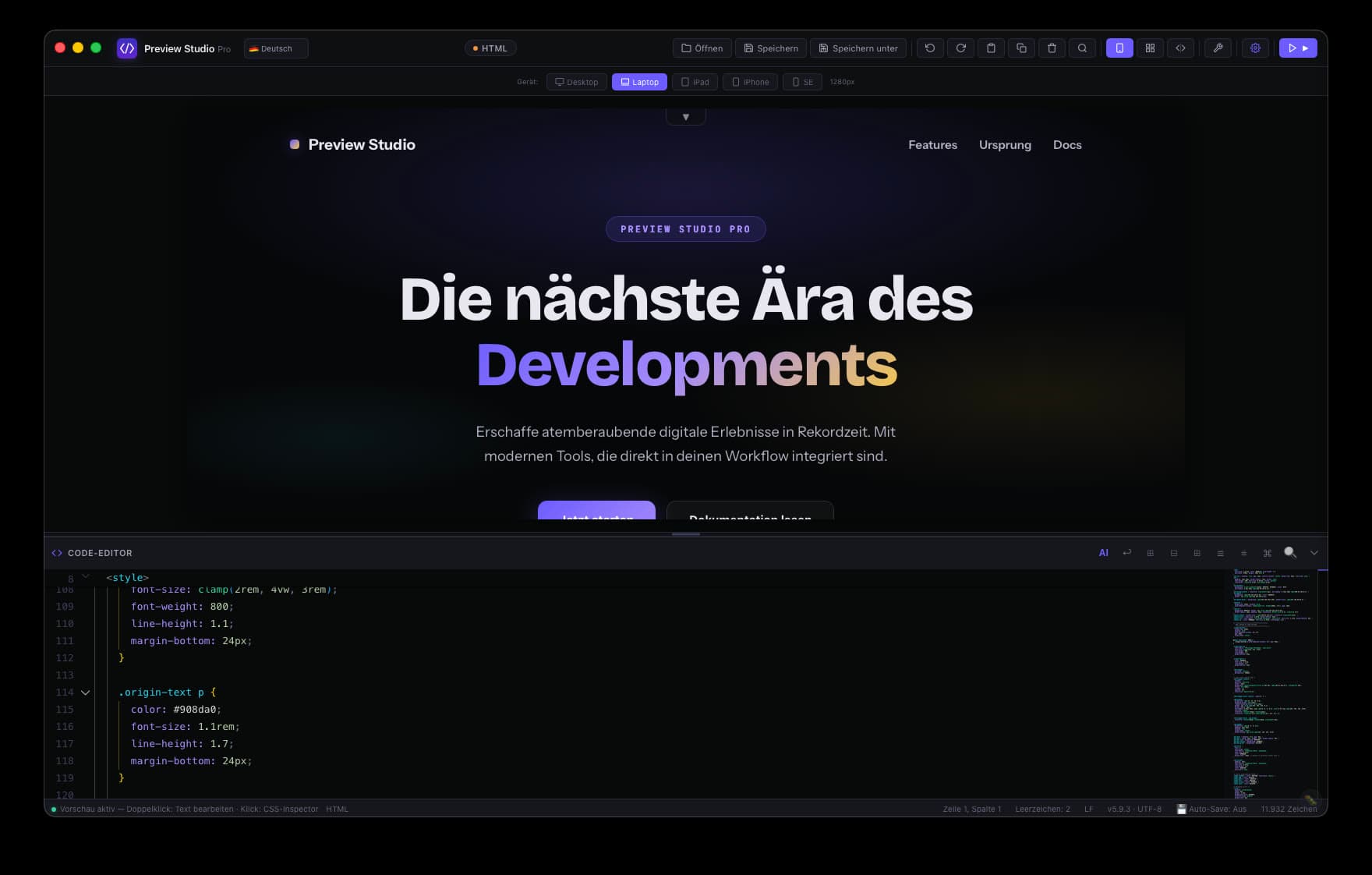
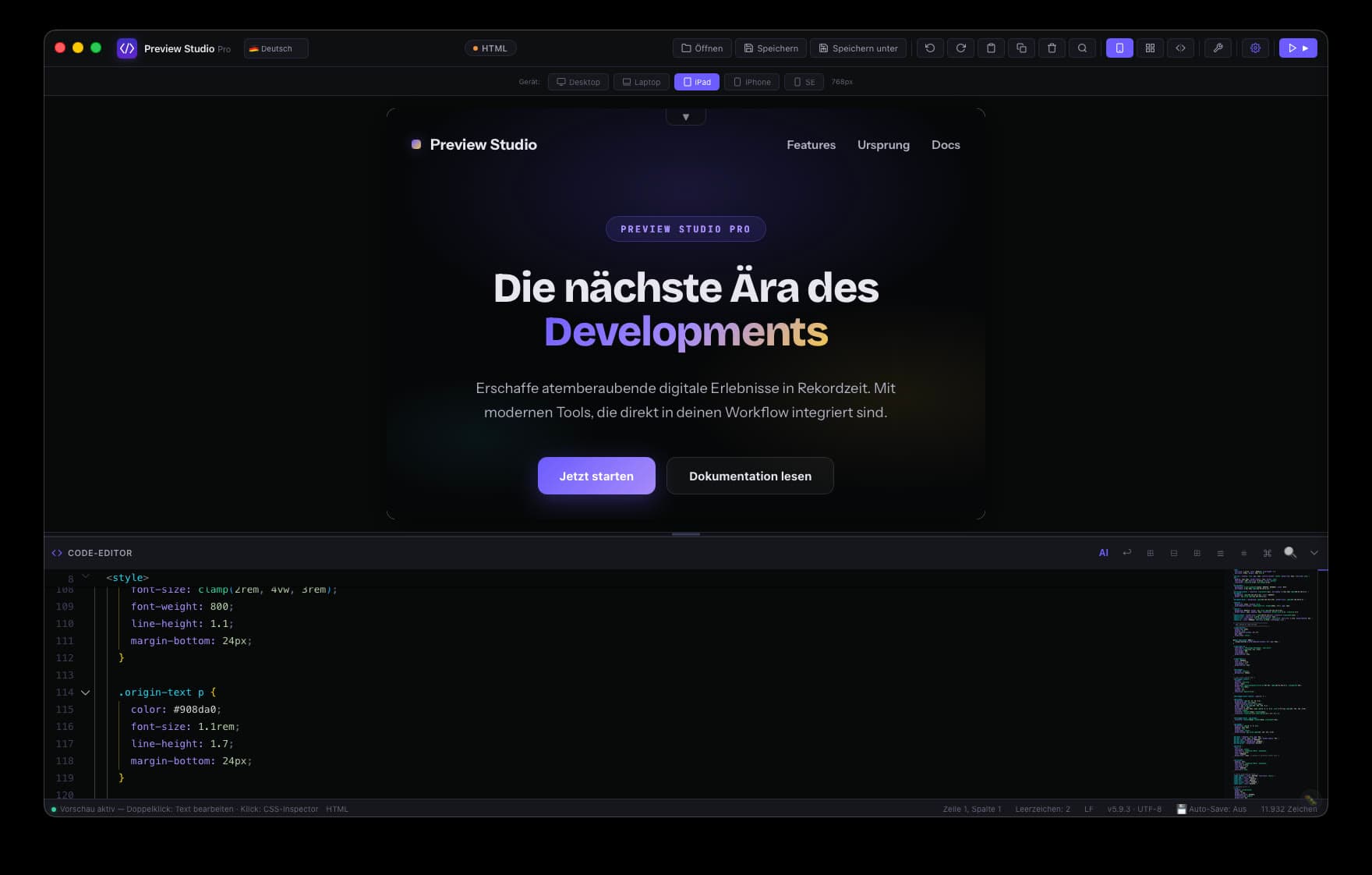
Live editor with true preview
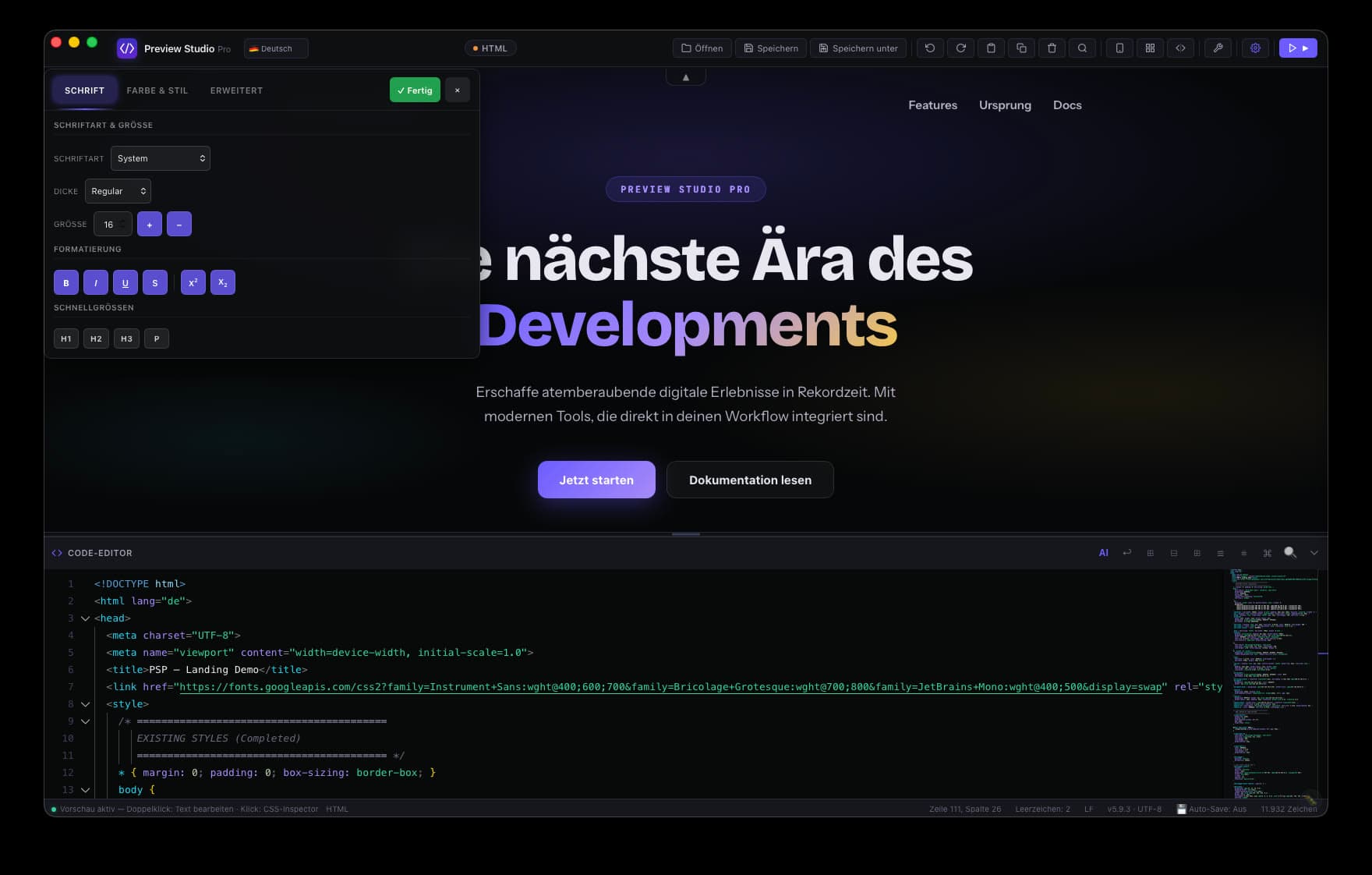
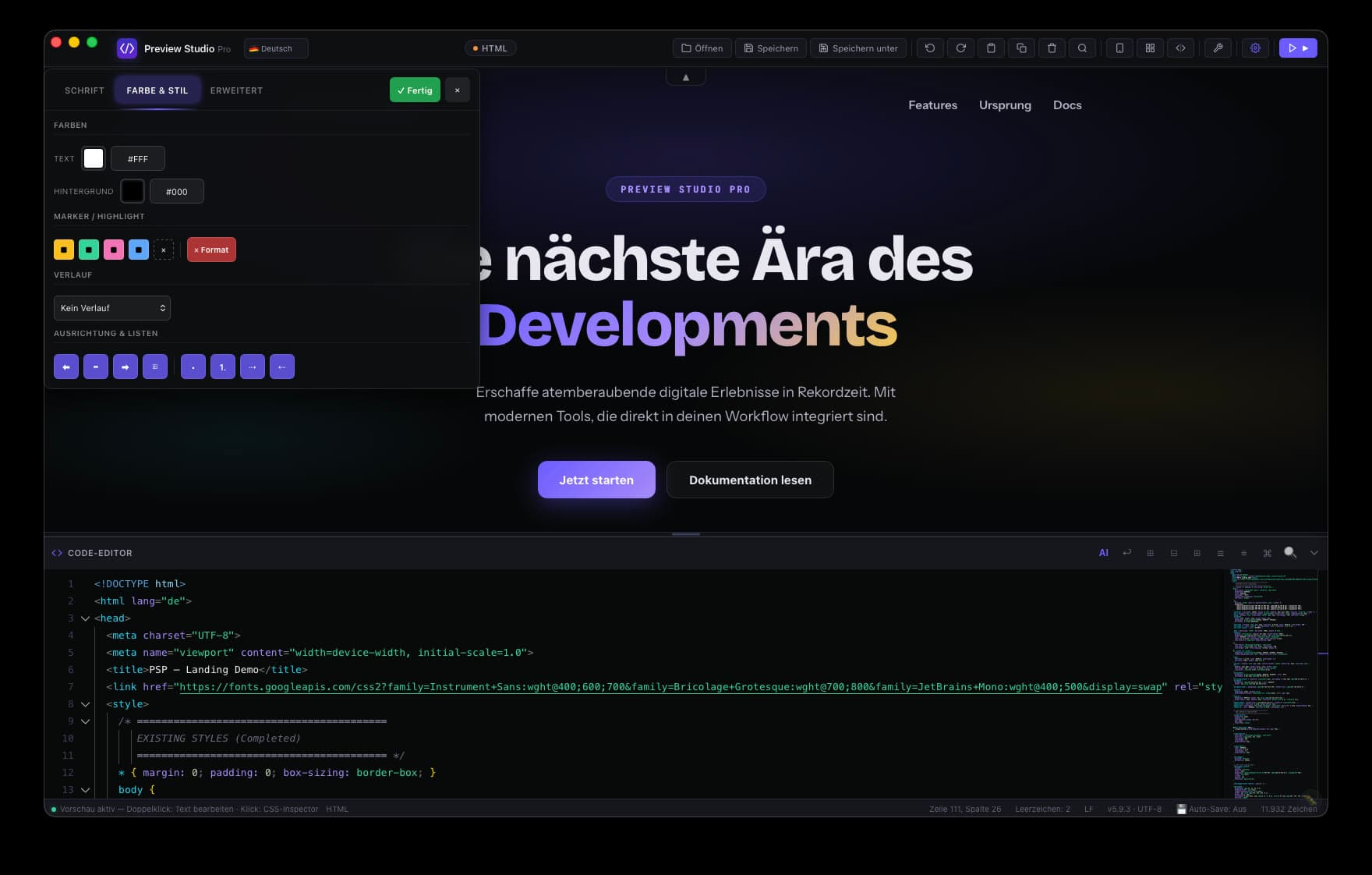
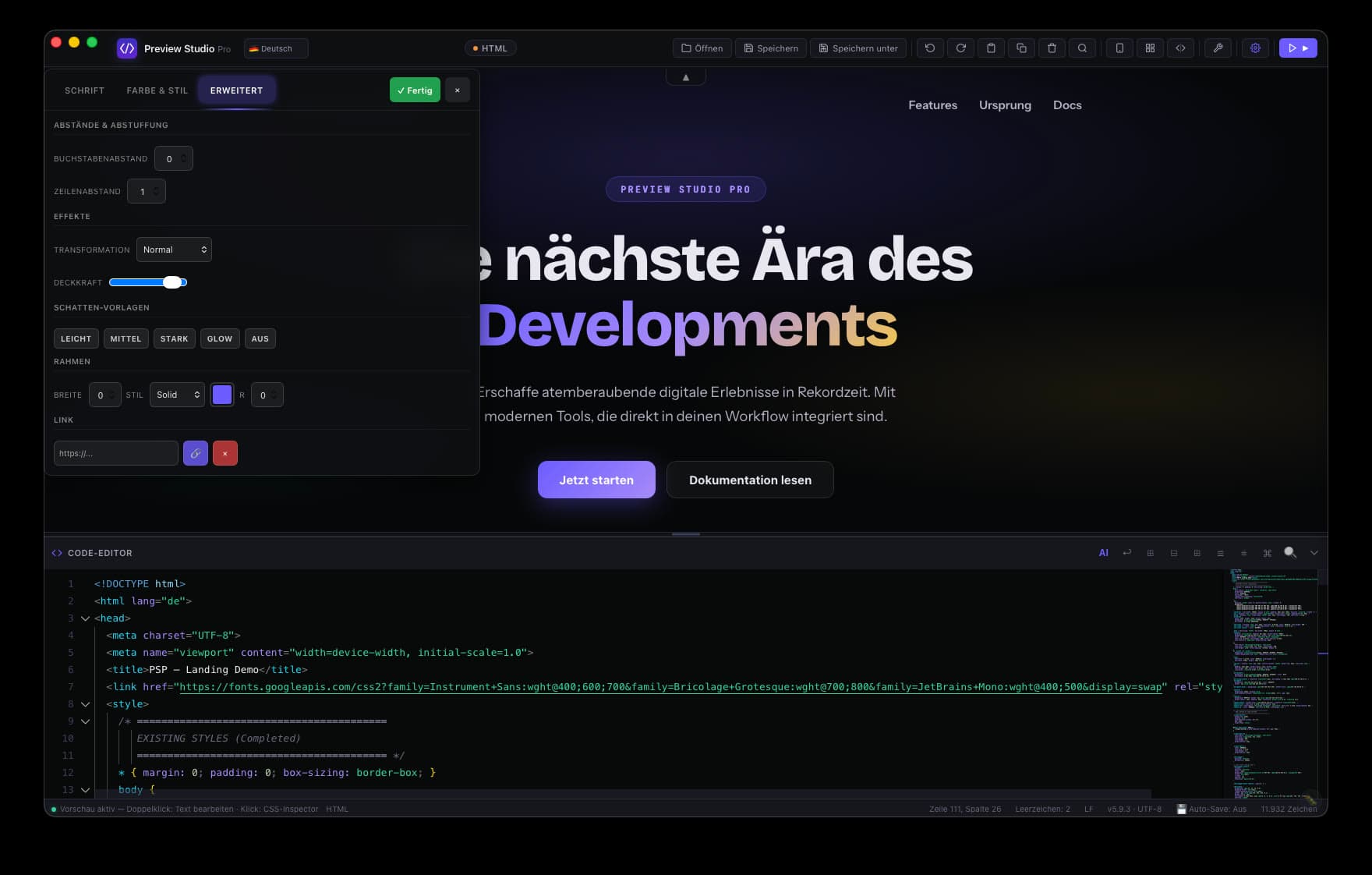
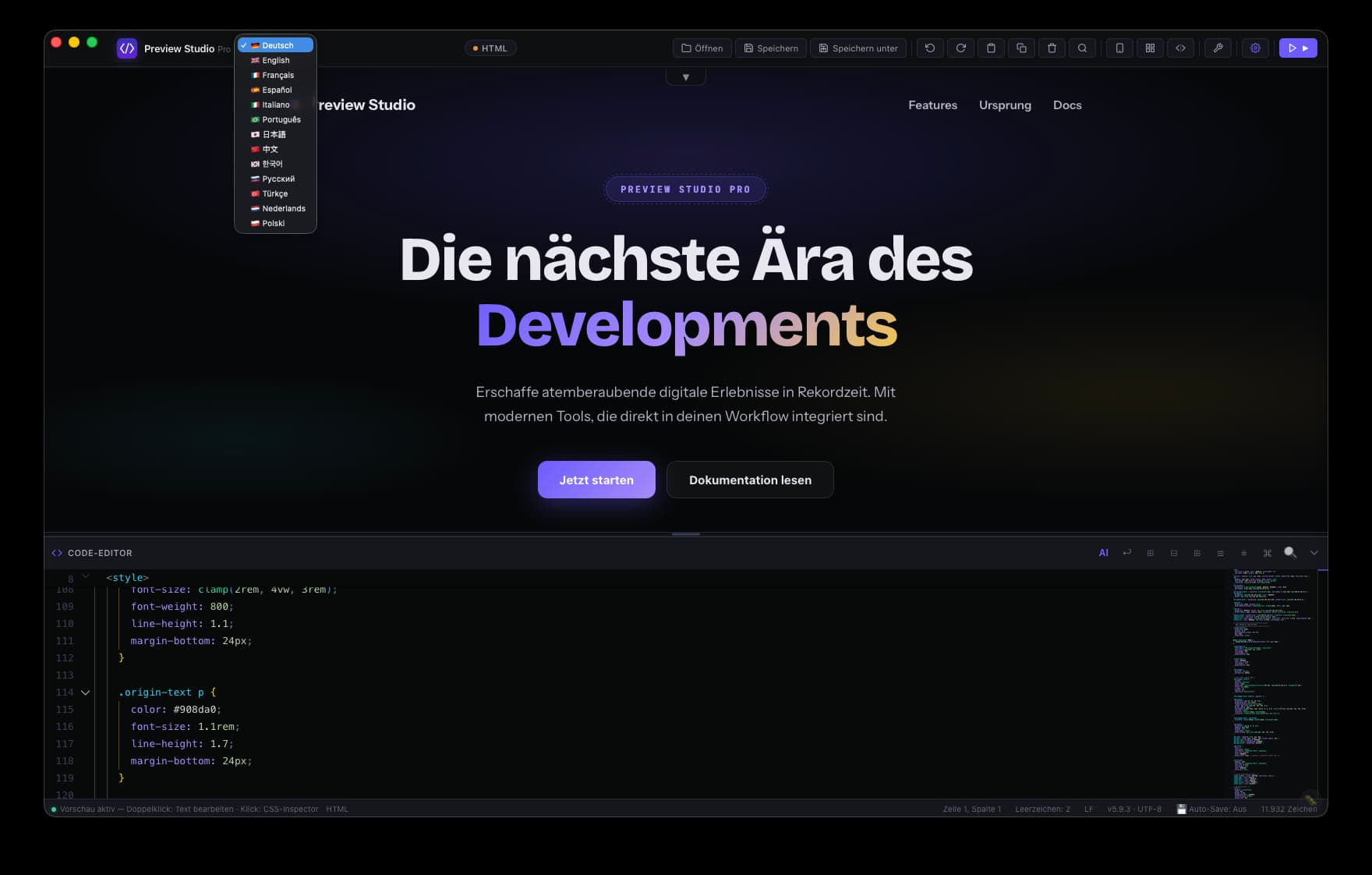
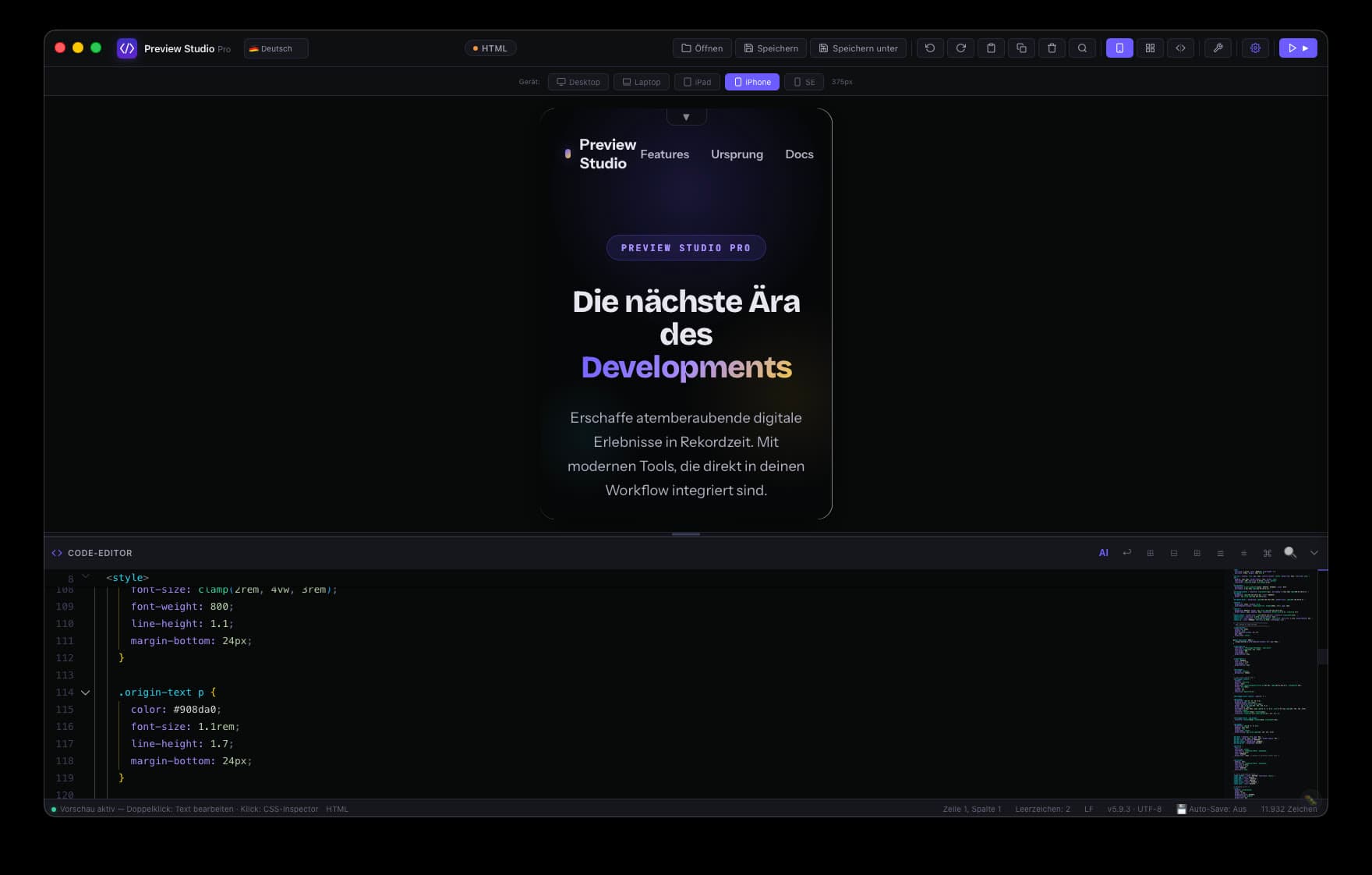
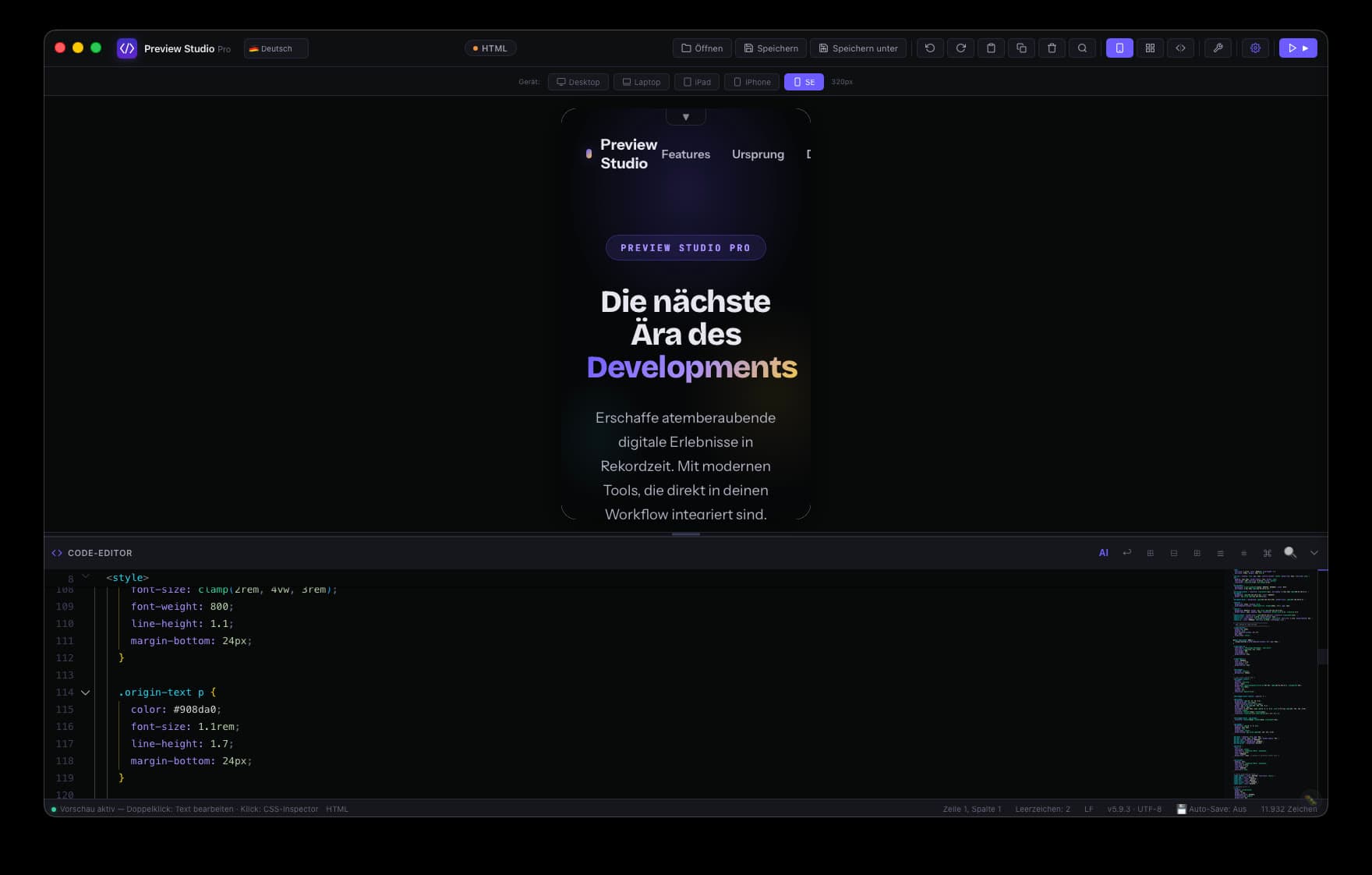
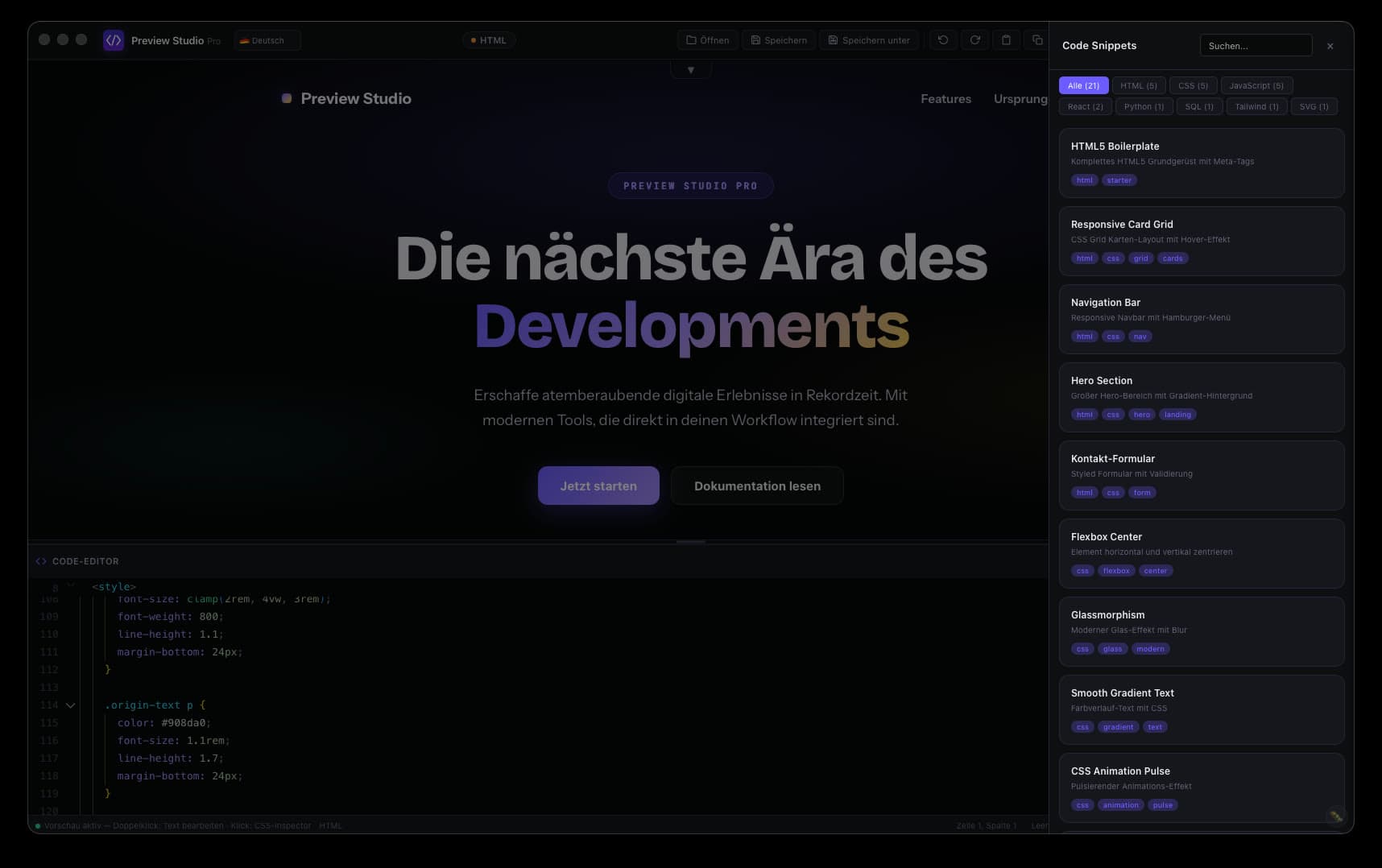
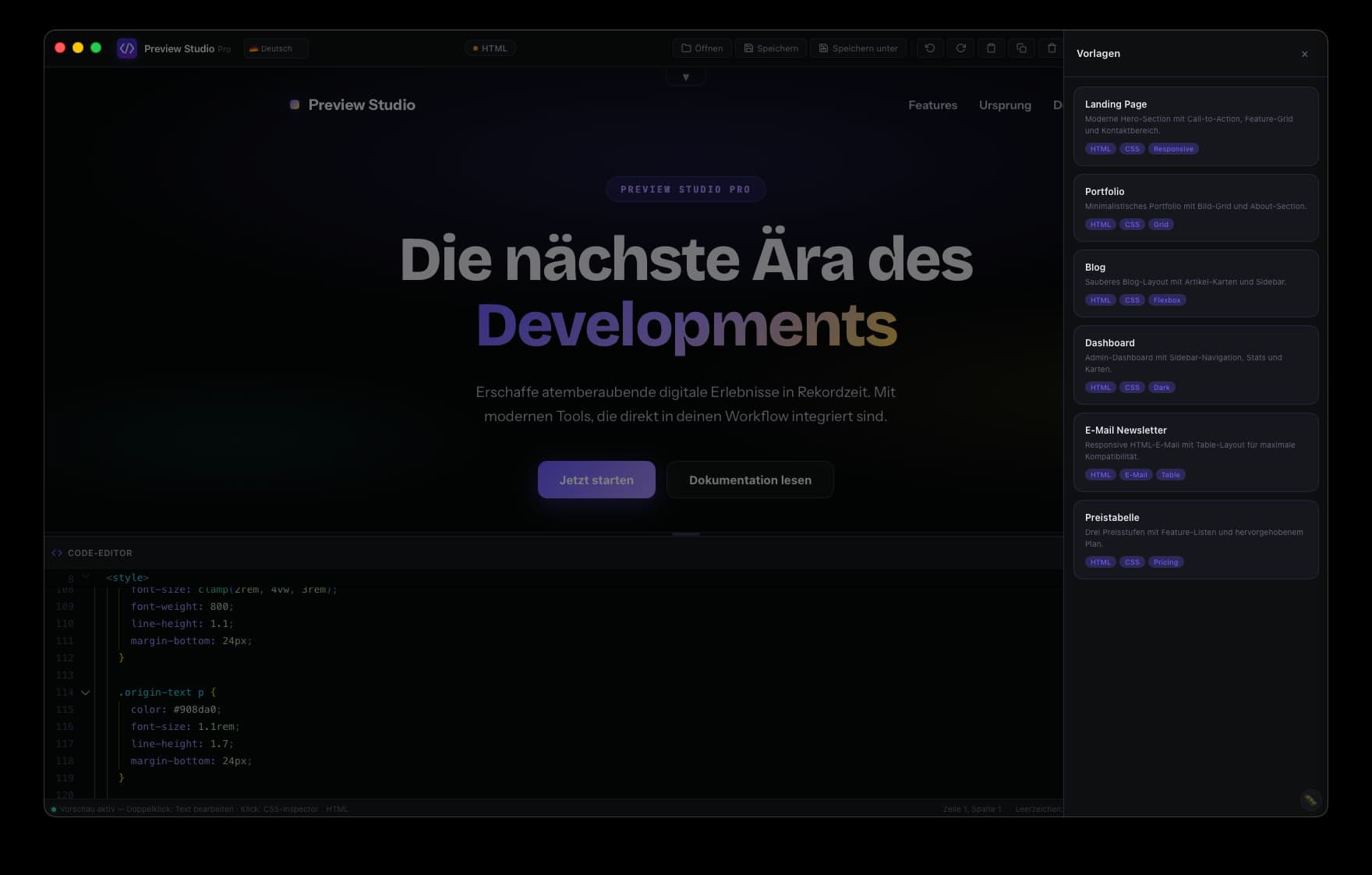
Features
What Preview Studio Pro does.
Preview Studio Pro is a native desktop editor for macOS and Windows that renders HTML, CSS, and JavaScript in a built-in live preview. Code changes appear in the preview window right away, without a browser refresh, without cloud sync, and without vendor lock-in. Project files stay on your machine.
Live preview
The built-in preview renders HTML, CSS, and JavaScript directly. No build step, no browser refresh, no second window to arrange.
Runs locally
Your project files stay on your machine. No cloud sync, no vendor lock-in. Runs on macOS and Windows, and works offline after activation.
Editor for 13 languages
Syntax highlighting, snippets, and project-wide code search for the common web-stack languages, from HTML and CSS to TypeScript, PHP, and Markdown.
AI with your own key
Code suggestions through your own OpenAI or Anthropic key, or through a local model. You pick the provider, we do not sit in between.
Who is it for?
Three profiles, one tool.
Web developers
Work on the HTML/CSS/JS stack without reloading the browser. For those files you need neither an npm setup nor a live server. Open the app, write code, see the result.
Frontend designers
Visual fine-tuning without a detour through the console. The built-in WYSIWYG editor shows CSS changes directly in the live preview, with classic inspector logic.
Content builders
Landing pages, marketing sites, and small web projects without CMS overhead. Templates as a starting point, snippets for reuse, export as static HTML.
Comparison
Where Preview Studio Pro is different.
If VSCode with a live preview extension or a dev server is enough for you, that is perfectly fine. The table also names what the others do well. Our added value is the finished setup, the visual editor, and the lifetime option.
| Feature | Preview Studio Pro | VSCode Live Preview | Browsersync | Vite Dev Server |
|---|---|---|---|---|
| Runs locally | Yes, native app | Yes | Yes | Yes |
| Ready after installation | Yes | Extension required | npm setup required | npm setup required |
| Visual WYSIWYG editor | Yes | No | No | No |
| AI suggestions built in | Yes | Copilot separately | No | No |
| Preview on other devices | Built in | Not intended | Yes, on the network | Yes, with --host |
| One-time purchase available | Yes, €269.99 | Not needed, free | Not needed, free | Not needed, free |
| For code and content | Both | Code | Code | Code |
Pricing
Three ways to use it.
Same app in every tier. The only difference is how you pay. All prices include VAT.
Monthly
€6.99per month
Cancel at the end of any billing period.
- Seven days free trial
- One license for one device
- Updates while the subscription runs
Annual
€69.99per year
Twelve monthly payments would be €83.88. You save €13.89.
- Seven days free trial
- One license for one device
- Updates while the subscription runs
- Billed once a year
Lifetime
€269.99one-time
Cheaper than the annual plan from year 4 onwards.
- One license for one device
- All future updates included
- No recurring payment
What you can count on
- 14-day right of withdrawal
- Invoice with VAT shown separately
- Account and license data on servers in Germany
- support@pemediacorp.com
System requirements
- macOS 12 or newer, Windows 10 or newer
- Universal binary for Apple Silicon and Intel
- Current version 6.2.6
Frequently asked
Answers about Preview Studio Pro.
What is Preview Studio Pro?
Preview Studio Pro is a native desktop editor for macOS and Windows that renders HTML, CSS, and JavaScript in a built-in live preview. Code changes appear in the preview window right away, without a browser refresh, without cloud sync, and without vendor lock-in. Project files stay on your machine.
Which operating systems does Preview Studio Pro run on?
macOS 12 or newer, Windows 10 or newer. The macOS build is a universal binary and runs on Apple Silicon and Intel Macs alike.
How much does Preview Studio Pro cost?
Three tiers: €6.99 per month, €69.99 per year, or €269.99 once as a lifetime license. Twelve monthly payments add up to €83.88, so the annual tier saves €13.89, that is 16.6%. The lifetime license pays off against the annual tier from year 4 onwards. All prices include VAT.
What happens after the free trial?
The trial runs for seven days. You add a payment method when the trial starts at checkout, not when you create the account. The first charge happens on day eight, and the paid subscription then starts automatically at the price you picked. If you cancel before the trial ends, nothing is charged.
Which languages does the editor support?
The editor covers 13 languages of the common web stack with syntax highlighting, snippets, and project-wide search, among them HTML, CSS, JavaScript, TypeScript, PHP, and Markdown. The built-in live preview renders HTML, CSS, and JavaScript directly, without a build step.
Do I need an internet connection?
Editing and the live preview work offline, and if you point the AI at a local model, that works offline too. The license is confirmed online at regular intervals, about every 24 hours while a connection exists. Without an internet connection the application keeps working for up to seven further days; after that a single connection is needed to continue. A connection is also needed for the initial activation, for updates and for cloud AI models.
Where is my data stored?
Your project files stay on your device, and there is no cloud sync requirement. Your account and your license live on our own servers in Germany. For payment we use Stripe (Ireland); that involves a third-country transfer to the USA, covered by the EU-US Data Privacy Framework and standard contractual clauses. The details are in the privacy policy.
Can I move my license to another device?
Yes. A license is active for one device at a time, and you can move it. Under Devices in your account you see which device is active and release it yourself. After a release, the next one is possible 30 days later, which keeps a single license from circulating across many machines. If your device broke and the waiting period has not passed yet, write to support@pemediacorp.com.
How do I cancel my subscription?
Through the billing portal in your account area, or by email to support@pemediacorp.com. Cancellation takes effect at the end of the current billing period. No phone call, no retention loop.
Can I get my money back?
You have a 14-day right of withdrawal for distance contracts. The details, including how the right ends for digital content once you ask us to start delivery immediately, are in our withdrawal notice, which is linked from the pricing block and from the footer. Invoices show VAT separately and are issued by the company named below.
Who is behind Pemediacorp?
Plößl & Ehrl Vertriebs UG (haftungsbeschränkt), registered in the Munich commercial register under HRB 303556. Managing directors: Luis Maximilian Plößl and Lorenz Ehrl. Address: Boschstraße 4, 82178 Puchheim, Germany.
No more switching between editor and browser.
Seven days free, then from €6.99 per month. Or €269.99 once.
What comes next.
One tool is finished and on sale. Three more sit in the workshop. What they do goes here once it is settled, and not a day earlier.
Tool two
The next tool, for a point of friction from our own working day. We will name it and give a date once both are settled.
Close to launch
Idea three
A draft under review. Still open whether it becomes its own tool or a feature inside an existing one.
In conception
Idea four
Written down, not started. When we start, you will read it here first.
Noted
Our servers. Your data.
Account and license data lives on servers in Germany, run by us. No advertising trackers. For sign-in we use Cloudflare Turnstile as bot protection, cookieless and without profiling. The license check runs exclusively on our own server in Germany. The system status in this section is not maintained by hand, it is measured the moment you load the page.
Read about us- Location
- ·
- Checked
- ·
A license is a contract, not a subscription trap. Buy it, keep it. Cancel, and stay respected.